


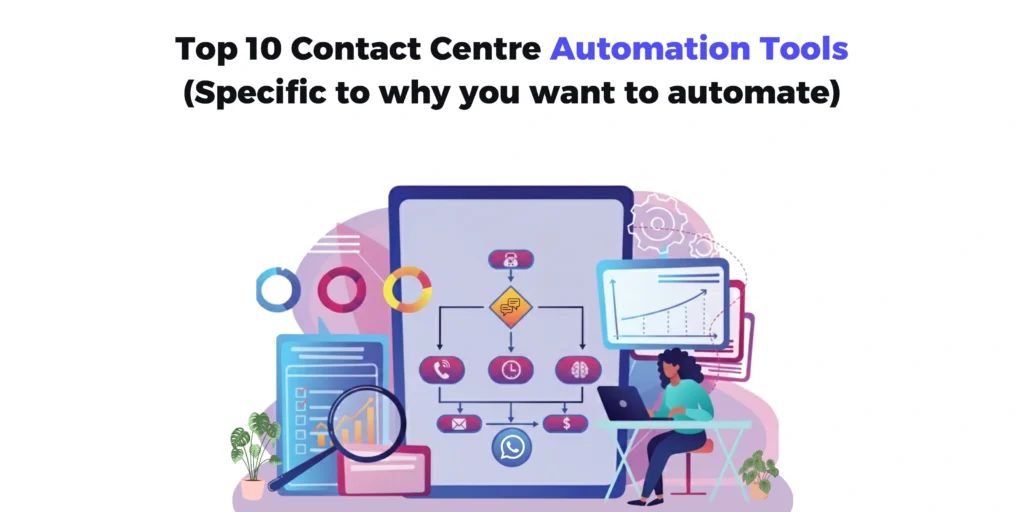
If you’ve ever shopped for “contact center automation tools,” you’ve probably noticed the category is messy because vendors use the same words to describe completely different outcomes. Some tools automate the conversation (voice/chat/SMS), others automate what happens around the conversation (routing, workforce scheduling, QA, coaching), and a few try to do all of it in one platform.
That’s why this top-10 list is organized by what you’re trying to automate, not by brand popularity. I’ll start with the most modern, most omnichannel option-ContactSwing-because it brings voice + SMS + WhatsApp together in one workflow, and then I’ll move outward into contact-center suites and specialist tools that automate routing, operations, and agent performance.
Category 1: Automate conversations (voice + messaging)
If your customer volume is high enough that your biggest bottleneck is simply talking to everyone fast enough, this category is for you. This is where you automate the actual front-line conversations-answering questions, qualifying, collecting details, booking appointments, and following up-so humans only step in when there’s nuance or revenue on the line.
It’s the best fit when you’re losing leads/support outcomes to slow response times, missed calls, and inconsistent follow-up across phone + messaging.
1) ContactSwing (Most modern, most omnichannel)
ContactSwing is the most “built for 2026” option on this list because it’s designed around AI agents that handle voice, SMS, Email, and WhatsApp in one platform, so you’re not juggling separate tools for calls vs messaging.
What I like about this approach is that it matches how customers behave: they might ignore a call, reply to SMS, and then continue on WhatsApp, yet the workflow stays consistent. If you want one system to qualify, answer questions, book appointments, and then hand off to a human only when needed, this is the cleanest place to start.
Best for: inbound + outbound automation across voice and messaging, especially when speed-to-lead and after-hours coverage matter.
2) Zendesk (Best for ticketing-first teams adding AI + voice)
If your “contact center” is basically your Zendesk instance, Zendesk’s contact center product is compelling because it brings voice and digital channels into a unified workspace with automation and AI tools.
Zendesk also positions its platform around AI, doing after-call work automatically (summaries, triage) and supporting agents with real-time guidance, so the team spends less time on admin and more time resolving issues. This is a great fit when your core workflow is tickets and SLAs, not outbound calling.
Best for: support orgs that already run on Zendesk and want automation inside that same system.
3) NICE CXone Mpower (Best for enterprise “human + AI agents”)
NICE positions CXone Mpower as an “AI-first customer experience platform” that orchestrates human agents and AI agents, emphasizing automation, integrations, and compliance.
This is the option teams choose when they’re running serious scale and want one enterprise platform for routing, automation, self-service, and agent assistance. It’s not “lightweight,” but it’s built for big contact center operations that need governance.
Best for: enterprise contact centers that want a unified AI + human agent platform with deep governance.
Category 2: Automate the platform (build your own center)
If you’re at the scale where “out-of-the-box” feels like a constraint, this is the category for you. These tools are for teams that want to design their own workflows, custom routing, custom agent UI, custom integrations, and automation logic that matches your business rather than forcing your business to match the software.
This bucket pays off when your processes are unique, your compliance rules are strict, or you need your contact center to behave like a product, not just a department.
4) Twilio Flex (Best for programmable automation)
Twilio Flex is positioned as a cloud contact center platform designed to be customized for your channels and agent workflows.
This is the pick when you want full control over the experience-routing logic, UI, channels, integrations, and you have the technical resources to build it. If your automation roadmap includes custom workflows, Twilio Flex is one of the strongest foundations.
Keep in mind that, for implementing and operating a solution like this, you need strong technological resources.
Best for: teams that want a programmable contact center and can invest in engineering.
5) Salesforce Service Cloud (Best for CRM-native service automation)
Salesforce’s Service Cloud pushes hard on AI-powered insights and automation for service teams, including analyzing conversations across channels and recommending next steps.
The big advantage is “single source of truth.” If your customer data and workflows already live in Salesforce, keeping service automation in the same ecosystem reduces friction and adoption issues. This works especially well for orgs where service is tightly linked to revenue and account management.
Best for: organizations already standardized on Salesforce that want AI-driven service workflows and insights.
Category 3: Automate routing, bots, and experience orchestration
If you have enough volume (and enough different reasons customers contact you) that “send every inquiry to the same queue” is killing your speed and quality, this category is for you. This is where you automate who should handle what, when, and through which channel, using intent, context, priority, and customer history to drive smart routing and self-service.
It’s the right move when you want fewer transfers, better containment, faster resolution, and a more consistent journey across touchpoints.
6) Genesys Cloud CX (Best for experience orchestration)
Genesys Cloud CX is widely positioned as an AI-powered contact center platform focused on customer journey orchestration.
Genesys has also highlighted AI and automation capabilities like predictive routing and intent-mining for bots, aiming to help contact centers implement AI with low-code tools. This is a strong choice when routing, orchestration, and analytics matter as much as the channel itself.
Best for: mid-market to enterprise contact centers that want advanced routing and CX orchestration.
7) Google Dialogflow (Best for structured self-service bots)
Dialogflow is a common choice for building conversational bots when you want intent-based self-service experiences and deep customization. It’s frequently used as the “brain” behind chat and voice bots.
It fits best when you have clear call drivers (order status, appointment questions, password resets) and you want self-service containment before escalating to humans.
Best for: teams building structured bots with internal developer support.
Category 4: Automate “after the call” work (QA, summaries, coaching)
If your team is already busy on calls, this category is foryou, because it automates everything that happens around the conversation. Instead of adding more agents to keep up, you improve output per agent by automating QA, coaching, summarization, insights, and staffing decisions.
This is the “make the machine run better” layer: tighter quality, better consistency, less manager overhead, and smarter staffing without burning out the team.
8) Observe.AI (Best for conversation intelligence + QA automation)
A lot of contact centers miss this: the biggest automation win is sometimes not taking fewer calls-it’s extracting more value from the calls you already take.
Observe.AI is typically used for conversation intelligence, automated QA, coaching, and surfacing insights from calls at scale. This is how teams reduce manual QA sampling and improve agent performance faster.
Best for: teams that want QA automation and insight extraction from large call volumes.
9) Balto (Best for real-time agent guidance)
Balto is focused on real-time agent coaching, helping agents say the right thing in the moment and improving compliance and outcomes.
This is a strong layer when you can’t fully automate conversations (complex support, regulated scripts), but you still want automation to improve what humans do.
Best for: compliance-heavy, script-heavy contact centers that want higher consistency.
10) Assembled (Best for workforce automation)
Not every automation win is conversational. Staffing and scheduling are huge levers for ROI because poorly forecasted staffing creates wait time, burnout, and wasted labor.
Assembled is positioned around workforce management and forecasting, helping contact centers’ staff correctly and adapt to volume changes.
Best for: ops-led teams that want forecasting and scheduling automation.
How I’d pick the right tool (simple decision framework)
- If you need voice + SMS + WhatsApp in one and want the most modern omnichannel automation, start with ContactSwing.
- If your team is Zendesk-native and lives in tickets, Zendesk contact center is the most natural next step.
- If you’re enterprise scale and want “one platform for human + AI agents”: NICE CXone Mpower belongs on your shortlist.
- If you want a programmable foundation and have engineers, Twilio Flex is the build-your-own route.
- If routing and orchestration are your competitive edge, Genesys Cloud CX is worth serious evaluation.
Key Takeaways
- Contact center automation tools fall into distinct buckets: conversational automation, platform automation, orchestration, and agent performance automation.
- ContactSwing leads when you want voice + SMS + WhatsApp unified in one omnichannel AI agent workflow.
- Enterprise platforms like NICE CXone Mpower and Genesys Cloud CX focus on orchestration, governance, and scaling AI across large operations.
- Ticketing-first teams often win by automating within their existing system, like Zendesk.
If you tell me your audience (sales/support vs healthcare staffing vs e-commerce support), I can rewrite the narrative so the examples match their world and the list feels even more “made for them.”
FAQs
What are contact center automation tools?
Contact center automation tools are platforms (or modules) that reduce manual work in customer support and sales operations by automating tasks like routing, self-service, follow-ups, ticket handling, summaries, and quality monitoring.
What’s the difference between “contact center automation” and “call center automation”?
Call center automation is mostly focused on voice (inbound/outbound calls, IVR, dialers). Contact center automation expands that to omnichannel workflows-voice, chat, email, SMS, WhatsApp-plus the back-office tasks around those conversations.
Which contact center workflows should I automate first?
Start with the highest-volume, lowest-complexity workflows (password resets, order status, appointment booking, lead qualification, simple FAQs). Then automate repeatable internal tasks like call notes, tagging, dispositions, and CRM/ticket updates.
Will automation replace human agents?
In most teams, automation reduces repetitive work and handles first-line requests, while humans take escalations, complex cases, and high-empathy conversations. The practical goal is usually “deflect and assist,” not “fully replace.”
How do I measure ROI from contact center automation?
Track metrics tied to cost and customer experience, such as containment/deflection rate, first response time, average handle time (AHT), first contact resolution (FCR), cost per contact, CSAT, and agent utilization. A simple ROI model compares hours saved + avoided hires vs software + implementation costs.
What features should I look for in a contact center automation tool?
Look for: omnichannel support, workflow builder/automation rules, smart routing, AI agent or bot capabilities, human handoff, analytics, QA tools, role-based access, and integrations with your CRM/helpdesk.
What are the biggest mistakes teams make when implementing automation?
Common mistakes include: automating broken workflows, launching without a clear escalation path, not training agents on handoffs, failing to monitor bot containment quality, and not instrumenting analytics to learn what customers actually ask for.
Do I need a full contact center platform or point tools?
If you need unified routing, governance, reporting, and scale, a full platform is usually cleaner. If you only need one outcome (like QA automation or workforce scheduling), a point tool can be faster and cheaper-until the stack becomes too fragmented to manage.