



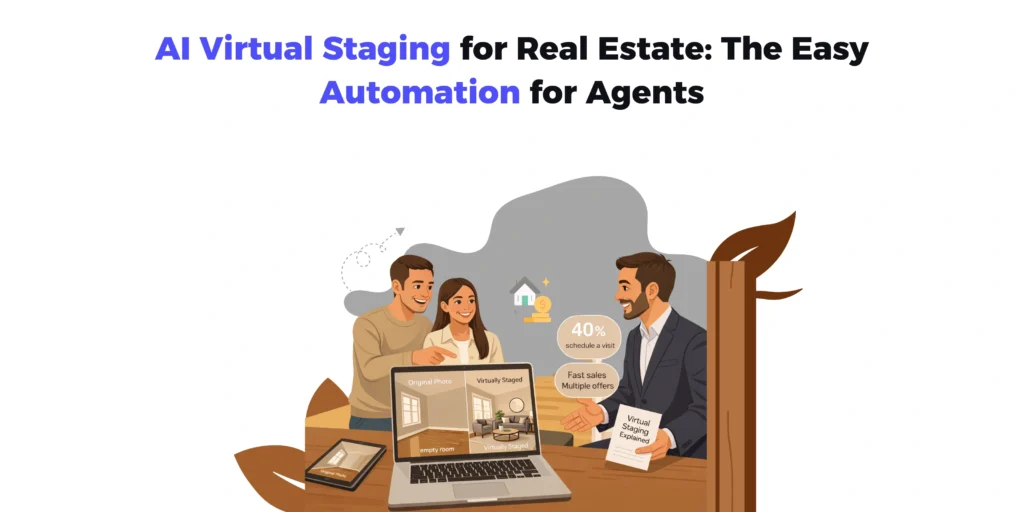
Buyers do not fall in love with floor plans. They fall in love with photos that tell a story. In a world where almost every house hunt starts online, bad visuals act like a “do not enter” sign on your listing. AI virtual staging for real estate changes that. It lets you turn cold, empty rooms into warm, styled spaces without renting a single sofa or hiring a designer for weeks.
This is not just a cosmetic hack. It is a way to control how buyers experience your listing before they even read the description. Recent research based on National Association of Realtors (NAR) data shows that in 2024, around 43–47% of buyers started their home search by looking at properties online.
Used well, AI staging real estate photos can upgrade your brand as an agent, move stale inventory, and give you social media content that actually stops the scroll.
What Is AI Virtual Staging For Real Estate?
Traditional virtual staging has been around for years. A designer or editor takes your empty-room photos into specialized software, carefully adds 3D furniture and décor, and sends you back polished images. It works, but it is slow, skill-intensive, and not cheap.
AI virtual staging for real estate compresses that entire process into a few clicks. You upload a photo, tell the system what room it is and what style you want, and the AI generates a fully furnished version of that space. No layers, no manual object placement, no 3D modeling. Just input, style, and output.
The result is a set of images that look like a professional interior shoot, but the “furniture” exists only in pixels. For buyers, it is enough to understand layout, scale, and lifestyle. For agents and sellers, it is enough to transform how the property performs online.
Why Real Estate Needs AI Staging Now
Spend ten minutes on any property portal and you will see the same patterns: dim photos, empty rooms, random furniture, or clutter that distracts from the bones of the property. Buyers scroll past most of these without a second thought. You are not just competing on price and location. You are competing for attention.
Empty rooms are the worst offenders. In person, a big empty room can feel airy and spacious. In photos, it often reads as small, flat, and forgettable. Without objects in the frame, buyers struggle to judge scale. “Will my bed fit?” “Where does the sofa go?” “Is there space for a dining table?” If they cannot answer those questions quickly, they move on.
NAR reporting on staging indicates that a notable share of agents (around 29%) see staged homes achieving 1–10% higher offers compared with similar but unstaged properties, and many also report reduced time on market.
AI staging real estate photos attacks that problem directly:
- It shows how furniture fits and flows in the space.
- It makes the room feel lived-in and aspirational.
- It gives buyers a mental picture of their own life there.
At the same time, AI virtual staging is fast, repeatable, and affordable enough to use on almost every listing. That is a big shift from traditional staging, which is often reserved only for higher-end properties.
Key Benefits Of AI Virtual Staging For Real Estate
There are several reasons AI virtual staging has gone from “nice idea” to “obvious play” for many agents and investors.
1. Serious Cost Savings
Physical staging involves:
- Renting furniture and décor
- Paying movers and installers
- Managing storage and logistics
- Removing everything when the property sells
That stack gets expensive quickly, especially if you carry several listings or operate in a market with modest price points. AI virtual staging for real estate removes all of that. You pay per image or per project, and you can reuse the same photos everywhere: MLS, portals, brochures, email, and social media.
2. Speed And Scalability
Traditional staging and manual virtual staging both take time. AI does not care how many listings you have in your pipeline. Once your photos are ready, you can often get staged images back in minutes or hours.
That speed matters when:
- You want to launch a listing quickly.
- You have multiple similar units (new builds, apartments, investor stock).
- You want to test different presentation angles for the same property.
3. Flexible Styles For Different Buyers
One of the underrated strengths of AI staging real estate photos is how easily you can switch styles:
- Minimalist for young professionals
- Classic or traditional for older downsizers
- Family-friendly for suburban buyers
- Luxe and dramatic for high-end markets
Instead of committing to a single physical staging style, you can generate multiple looks for the same room and choose the one that fits your audience. For certain properties, you can even show a “dual personality”: one set staged as a stylish home office, another as a nursery or guest room.
4. Better Online Performance
Beautifully staged images do a few simple but powerful things:
- They increase the likelihood that someone clicks on your listing.
- They encourage buyers to view more photos, not just the first two.
- They make your listing more shareable in DMs and social feeds.
Those micro-effects add up. More clicks and more time on page typically mean more enquiries and more showings. The visuals become a quiet engine behind better numbers.
5. Low Friction For The Agent
Once you set up a basic workflow, AI staging becomes a routine step:
Photographer sends photos → You upload the best ones → Choose styles → Download and publish.
There is no need to coordinate deliveries, chase stylists, or schedule around furniture rental timelines. You still control the creative choices but offload the labor.
How AI Virtual Staging Actually Works
From a user perspective, AI virtual staging for real estate is pretty straightforward. Behind the scenes, there is a lot happening, but you do not have to care about the technical details to use it well.
Step 1: Capture Good Base Photos
AI can enhance your photos, but it cannot fix everything. You still need:
- Clear, well-lit images (natural light where possible).
- Clean or empty rooms (remove clutter, personal items, odd objects).
- Straight lines and reasonable angles (no extreme wide-angle distortion).
Think of AI as your digital stylist. It needs a reasonably clean canvas.
Step 2: Upload And Select Room Types
You upload your photos into an AI virtual staging tool and label them:
- Living room
- Bedroom
- Kitchen
- Dining area
- Home office
This helps the system understand what it is working with and which furniture to generate.
Step 3: Choose Design Styles
Most tools offer a menu of styles. You might see tags like:
- Modern
- Scandinavian
- Industrial
- Coastal
- Mid-century
- Luxury
Here is where you think about your buyer profile. A sleek, glass-heavy style might be perfect for a downtown loft, while a softer, family-oriented aesthetic suits a suburban home.
Step 4: Generate, Review, Refine
The AI produces staged images based on your choices. Your job is to:
- Check that the furniture scale looks realistic.
- Make sure key features (windows, fireplaces, built-ins) are visible.
- Avoid any awkward placements or odd design decisions.
If something looks off, you can regenerate or tweak styles until the images feel right. You do not need to be a designer, just someone with common sense and a feel for what your buyers like.
Step 5: Publish Across Your Marketing Stack
Once you are happy:
- Upload images to MLS and portals.
- Use them in brochures and listing PDFs.
- Slice them into vertical formats for Instagram, Facebook, LinkedIn, or Reels.
- Drop them into email campaigns or WhatsApp blasts to your buyer list.
A single set of AI staged photos can fuel your entire marketing ecosystem for that property.
Smart Use Cases For AI Staging Real Estate Listings
AI staging shines in some particular scenarios. As a real-estate agent, knowing some of these scenarios can increase the likelihood of you closing a property severalfold.
Vacant Properties
This is the obvious one. Empty rooms are a blank canvas that most buyers do not know how to interpret. With AI virtual staging, you can show:
- How a large open-plan room divides into living and dining zones.
- How a small room can still function as a bedroom or office.
- How odd nooks become reading corners, desks, or storage.
Suddenly, the conversation shifts from “It feels small” to “Look how well this is laid out.”
Mid-Market And Rental Listings
Physical staging often does not pencil out for lower price points or rentals. AI virtual staging for real estate lets you give even modest properties a “magazine look” without overspending.
This is especially useful for:
- Investor portfolios
- Build-to-rent developments
- Student or co-living units
It helps you maintain a consistent visual standard across dozens of doors.
New Developments And Off-Plan Sales
When you are selling units that are not finished yet (or are just freshly completed), AI staging can create:
- Multiple layout concepts for the same shell.
- Different style options for different buyer personas.
- Material and color suggestions that help buyers choose finish packages.
Even if you have show suites, AI allows you to extend that vision into every unit’s marketing photos.
Social Media Storytelling
Before-and-after posts are catnip for algorithms. You can:
- Show an empty room, then swipe to the AI-staged version.
- Post a “design poll” asking followers which style they prefer.
- Use reels that transition from bare walls to furnished scenes.
This content not only helps sell the property but also positions you as a modern, creative agent who uses current tools.
AI Virtual Staging vs Traditional Staging
Both have their place. A simple way to summarize the benefits is through the table given below:
| Aspect | Physical Staging | Manual Virtual Staging | AI Virtual Staging |
| Cost | High (furniture, labor) | Medium (designer + editor) | Low to medium per image |
| Turnaround time | Days | Days | Minutes to hours |
| Scalability | Limited by inventory/logistics | Limited by editor capacity | High, many images in parallel |
| Style flexibility | Limited per install | Flexible but time consuming | Very flexible, easy to test ideas |
| Realism | Highest in person | High with skilled designer | High and improving rapidly |
| Effort for agent | High coordination | Medium | Low, simple upload and review |
Ethics, Expectations, And Best Practices
AI staging real estate photos is powerful enough that you have to use it responsibly.
- Always disclose
Label images as “virtually staged” so buyers know furniture and décor are digital. This builds trust and avoids awkward surprises at showings. - Stay honest about the space
Do not make rooms look larger than they are by changing proportions. Do not erase structural issues or major flaws. Staging should highlight potential, not hide reality. - Match the property’s level
Do not stage a basic unit with ultra-luxury finishes and furniture that are wildly out of line with the actual space. Aim for aspirational but believable.
Handled well, AI virtual staging for real estate is not deceitful. It is simply a way of answering the question, “What could this look like at its best?”
Making AI Virtual Staging Part Of Your Workflow
If you want to go beyond one-off experiments, treat AI staging as a standard step rather than a special project.
- Decide which rooms you will always stage (usually living, primary bedroom, plus one extra).
- Standardize on 1–2 styles that fit your brand and market.
- Build a simple checklist with your photographer so photos arrive in the right format and condition.
- Create templates for listing descriptions and social captions that reference the staged images.
Within a few listings, it starts to feel like second nature and buyers learn to associate your name with high quality visuals.
FAQs About AI Virtual Staging For Real Estate
Q1. Is AI virtual staging legal and allowed on listing sites?
Yes, in most markets it is allowed, but many platforms and associations require clear disclosure that images are virtually staged. Always check local rules and follow any guidelines from your MLS or governing body.
Q2. Will buyers feel cheated when they see the home in person?
If you present AI staging honestly, most buyers appreciate it. They understand that furniture is digital, and they like seeing the layout potential. Problems arise only when images are misleading or defects are hidden.
Q3. How realistic is AI staging compared to traditional virtual staging?
The best AI tools produce results that many buyers cannot distinguish from manual virtual staging at a glance. That said, a skilled human editor still has more fine-grained control. For most everyday listings, AI is “realistic enough” and far more efficient.
Q4. Do I still need professional photography if I use AI staging?
Absolutely. AI can add furniture and style, but it cannot fix bad angles, poor lighting, or blurry images. Good base photography plus good AI staging is where you see the real jump in quality.
Q5. Can AI staging work on furnished or cluttered rooms?
Some tools can virtually declutter or replace existing furniture, but results vary. You will always get the best outcome from rooms that are empty or at least cleared of obvious clutter and personal items.
Q6. How much control do I have over the design?
You usually choose room type and style, sometimes even color palettes and specific vibes. You do not place every single item manually, but you can regenerate or switch styles until you get something you are happy with.
Q7. Where should I use AI-staged images besides the listing page?
Use them in brochures, email campaigns, property websites, social media posts, and listing presentations. They are especially effective in “just listed” announcements and carousel posts that show transformations.
Q8. Is AI virtual staging worth it for small or low-priced properties?
Often yes. Because the cost is low and fixed per image, even budget-friendly listings can justify AI staging. It helps your brand look professional across the board and can be the difference between a quick sale and a slow one.
Q9. Can I do AI staging myself, or do I need to hire someone?
Most tools are simple enough for agents to use directly. If you are extremely busy or want consistent brand-level quality, you can also work with a marketing assistant or media partner who handles AI staging for you.
Q10. What is the first step if I want to try this on my next listing?
Pick one property that has empty or uninspiring rooms. Get clean, bright photos, run them through an AI staging tool in one or two styles, and compare the performance of that listing against similar ones you have done in the past.